


Heja Sports Team Communication
4.7805.00 Reviews
App Specs
- Version
- 733.0
- Updated On
- License
- Free
- Downloads
- 1,000,000+
- Developer
- Heja Sports
- Categories
- Sports
- Platform
- Android, iOS
Screenshots

 Analysis by AppCompare
My first impression of Heja is that it makes a familiar sports-team problem feel less scattered: schedules, changes, and messages tend to live in too many places. Its appeal is easy to understand during the first week, when a coach is setting up a team and families are learning where to look. The more interesting test, though, is whether everyone keeps using it once the initial setup is over. In my view, it earns its place when the group treats it as the shared home for team logistics, rather than another channel competing with texts and email.
Getting Started with Heja
First things first, downloading and setting up Heja is as smooth as butter. Available on both Android and iOS, the app is free, which is always a nice bonus. Once installed, you create a team by entering basic details. The app allows you to invite team members via a link or code, making it super easy to onboard everyone. That simple invitation step matters in a mixed group: a coach can bring parents and players into the same team space without asking each person to find and follow a separate conversation thread.
Features That Score Big
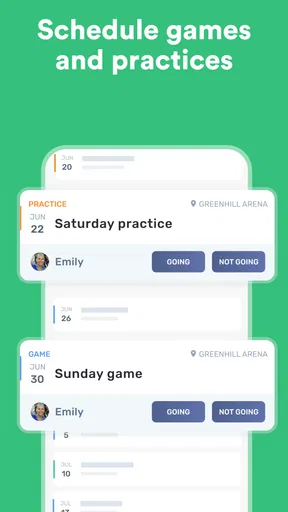
One of the standout features for me is the scheduling tool. You can set up practices, games, and events with just a few taps. The calendar view is intuitive, allowing you to see upcoming events at a glance. Need to make a last-minute change? No problem! The app sends instant notifications to all team members, ensuring everyone is on the same page. For a team with a recurring weekly practice, the practical benefit is less about admiring a calendar and more about making one reliable place to check before leaving home. I’d encourage a manager to enter the event details clearly and keep changes in that same place, so families don’t have to work out whether a newer text overrides an older schedule.
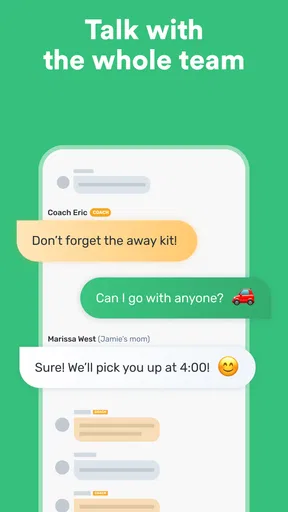
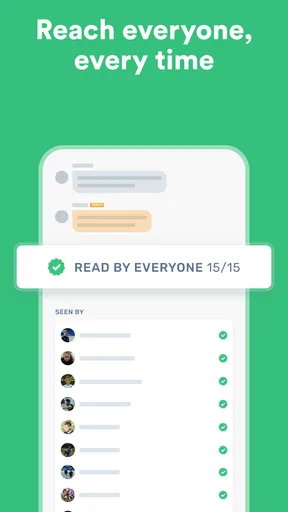
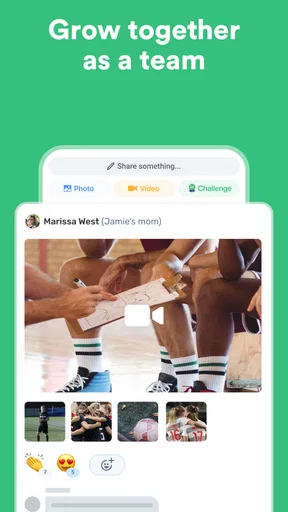
Another feature that deserves a shoutout is the messaging system. Whether it’s one-on-one or group chats, communication is seamless. Plus, you can share photos and videos, which is perfect for those post-game highlights or motivational messages. The app even has a “Read” indicator, so you know who’s seen your messages. That indicator is useful for noticing whether an important note has reached people, but I wouldn’t treat it as proof that every parent or player has understood or acted on it. A short, specific message with the time, place, and requested response is more helpful than a vague announcement followed by several clarifications.
Keeping Everyone in the Loop
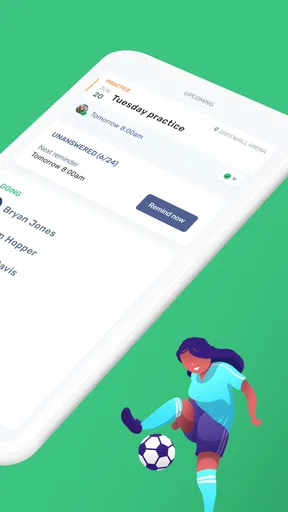
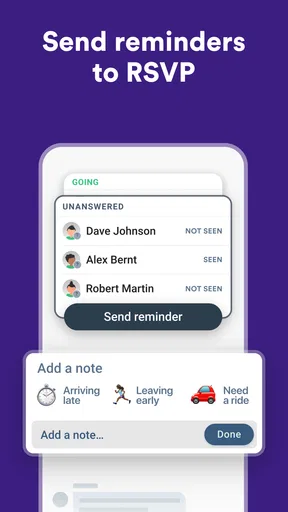
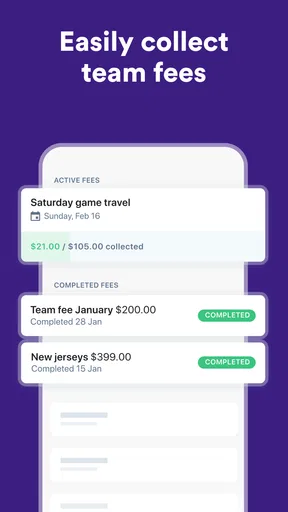
For coaches and team managers, Heja offers a treasure trove of tools. You can track attendance, manage player availability, and even collect fees. The availability feature is particularly handy; players can RSVP to events, and you can easily see who’s in or out. No more guessing games! In everyday use, the RSVP step works best when the coach sets a clear expectation for when families should respond. Then the manager can check the list before deciding whether to adjust a practice plan or follow up with someone who has not answered.
Parents will appreciate the app’s ability to keep them informed without overwhelming them. They can follow their child’s schedule, receive important updates, and communicate directly with coaches. It’s a great way to foster a sense of community and keep everyone engaged. A useful routine is to check the next event and any team announcement at a predictable time, rather than reacting to every notification as it arrives. That keeps the app practical for busy households and gives the team a better chance of having everyone work from the same information.
Personal Experience
As someone who’s been both a player and a coach, I’ve seen my fair share of communication hiccups. With Heja, those days are behind me. The app has streamlined everything from scheduling to communication, making my life a lot easier. The user interface is clean and user-friendly, which means even the less tech-savvy folks on the team have no trouble navigating it. Still, ease of use cannot make people check a team app automatically. A coach who posts updates in one place and then repeats them in several informal chats may accidentally recreate the very confusion the app is meant to reduce. Agreeing on one source of truth is part of getting value from it.
Worth Reading Before You Choose

Flipboard Shows What News Apps Must Do Beyond the Feed

Switching to Android Auto Means Rethinking Your Driving Routine

Google Calendar Makes a Crowded Week Easier to Manage

Ludo King Makes the Most of the Minutes Between Plans

Baby Panda World Brings Quick Play to Modern Phones, but Its Game Library Feels Busy

ESPN’s Live Game View Makes Following Close Games Easier
One of my favorite aspects is the ability to share photos and videos. After a big win, sharing those moments with the team and their families adds a special touch. It’s little things like this that make the app not just a tool, but a part of the team’s culture. I’d keep that social side purposeful, though: a few moments that families genuinely want to revisit can strengthen the sense of belonging, while a steady stream of casual posts may make useful schedule notices easier to overlook.
Does It Still Help After the First Week?
Heja is a sports app from Heja Sports, and the long-term value is tied to repetition rather than novelty. The first few days may feel productive because the team is being assembled and everyone is finding the calendar. A month later, the app matters if it still answers the everyday questions: when is the next event, who can attend, and where should a change be posted? Its 4.8 average from around 7,400 ratings and more than a million installs suggest broad adoption, but a team’s own habits will decide whether it becomes useful or merely another icon on a phone.
One realistic routine shows where it can earn a permanent spot. A coach posts the week’s practice and match details, families mark availability when they know their plans, and the manager checks the responses before making arrangements. If the venue or timing changes, the update goes into the team space, not only into a side conversation. A parent can then check the latest information while packing a kit or arranging a lift. The benefit is not that every task becomes automatic; it is that fewer people have to reconstruct the plan from fragments.
Choosing the Right Communication Habit
Compared with the usual combination of group texts, email, and a shared spreadsheet, Heja’s advantage is having team events, attendance responses, and conversation gathered around the same group. Text messages may be faster for a quick personal exchange, and a spreadsheet can suit a manager who needs a highly customized record. But those alternatives can leave families searching across threads or relying on someone to keep separate documents current. Heja is most compelling when the team wants one straightforward routine, not when it needs a specialist system for every administrative task.
There is a trade-off in that centralization. Everyone needs to join and check the team space, and people who prefer not to add another app may still miss updates unless the group agrees how important messages will be handled. Before inviting the whole team, I’d explain what belongs there—event details, availability, and team-wide notices—and what should stay in a direct conversation. That small boundary helps keep the channel useful without turning every logistical question into a long group discussion.
Where the Routine Can Become Work
The maintenance burden is modest but real. Someone has to keep event information current, encourage responses, and correct details when plans change. Availability is only as useful as the replies it receives; an unanswered invitation does not tell a coach whether a player is coming. For younger teams, a parent may be the person who checks and responds, so coaches should make the expected routine clear rather than assume each player will manage it independently.
There is also a notification trade-off. Timely alerts can help families catch a changed plan, but frequent messages and media can make a team channel feel noisy. I’d reserve broad announcements for information everyone needs and use direct communication for a matter that concerns one family. If the team already has a reliable messaging habit, switching channels without a clear reason may create duplicate alerts instead of reducing confusion.
Who Will Get the Most from It?
I’d recommend it to volunteer coaches, team managers, and families who currently juggle several channels for practices, matches, and availability. It is especially useful when a team has regular events and needs a simple way to see who plans to attend. The Everyone age rating makes the app broadly suitable, but the team still needs sensible adult guidance around communication and shared photos. The app’s current version is 715.0, and it supports devices running Android 7.0 or later; the practical point is to check that the phones used by the team can run it before making it the only place for essential updates.
It is less suited to a group that only meets occasionally, already communicates clearly in one channel, or needs detailed club-wide administration beyond a team’s day-to-day coordination. A manager who depends on custom reporting or a formal registration system may prefer a dedicated tool for those jobs and use Heja only for team communication. It is free to start, with in-app purchases listed from $2.99 to $139.99 per item, so I would look at the available paid options only if a specific need arises rather than assume the free setup will cover every team’s preferences.
Final Thoughts
In a world where time is precious, Heja is a lifesaver for anyone involved in managing a sports team. It’s packed with features that simplify and enhance the team experience, from seamless communication to efficient scheduling. The app’s ease of use and thoughtful design truly make it stand out. What makes it last, in my opinion, is not a single standout feature but the dependable routine around events and replies. If the coach keeps details current and families know where to check, it can reduce the small bits of coordination that otherwise consume a busy week.
So, if you’re tired of juggling spreadsheets, texts, and emails to keep your team on track, give Heja a try. It’s like having a personal assistant dedicated to your team’s success. Trust me, once you start using it, you’ll wonder how you ever managed without it! I’d just set expectations early: use one place for the official schedule, ask families to respond by a practical deadline, and avoid duplicating every announcement elsewhere. That is the difference between a helpful team hub and one more source of notifications.
Ready to take your team management to the next level? Download Heja today and see the difference for yourself! My lasting verdict is positive for teams that need shared logistics more than elaborate administration. If your group is willing to build a simple checking habit, it can keep earning space long after the setup excitement fades; if not, the app cannot replace clear communication on its own.
Pros
- User-friendly interface for all ages.
- Real-time messaging enhances team coordination.
- Event scheduling is simple and effective.
- Customizable notifications prevent spam.
- Integrated attendance tracking boosts reliability.
Cons
- Limited features in free version.
- No offline access to features.
- Occasional sync issues with calendar.
- Requires internet for full functionality.
- Limited integration with other apps.
FAQs for Heja Sports Team Communication
What is Heja Sports Team Communication used for?
Heja Sports Team Communication is designed to streamline communication for sports teams. It allows coaches, players, and parents to easily share schedules, updates, and messages within a single platform. This app aims to enhance team coordination by providing tools for event scheduling, attendance tracking, and direct messaging.
Is Heja available on both Android and iOS devices?
Yes, Heja Sports Team Communication is available for both Android and iOS devices. Users can download it from the Google Play Store for Android or the Apple App Store for iOS. The app offers a consistent experience across platforms, ensuring seamless communication regardless of the device used.
Does Heja support multiple sports?
Absolutely, Heja is versatile and supports a wide range of sports, from soccer and basketball to swimming and more. It’s designed to cater to the specific needs of any team, providing customizable features that can be adapted to suit different sports and organizational structures, making it ideal for diverse athletic communities.
Can Heja be used for non-sporting activities?
While Heja is primarily designed for sports teams, its features can be adapted for other group activities requiring organized communication and scheduling. Whether it’s for school clubs, fitness classes, or social gatherings, Heja’s tools can facilitate efficient coordination and engagement for any group.
Is there a cost associated with using Heja?
Heja offers a free version that includes essential features such as messaging and scheduling. However, there are premium options available that provide additional functionalities like advanced statistics and priority support. These paid features can enhance the experience for teams seeking more comprehensive management tools.


